Campaign Prep
Preparation · Campaign Prep
This is where locations live, and it's the backbone the rest of the app hangs off of.
Locations can be nested one level deep (for example, Phandalin as a top-level location, with the Stonehill Inn underneath it). The list view shows each location with counts for encounters, treasure found, NPCs, and quests tied to it.
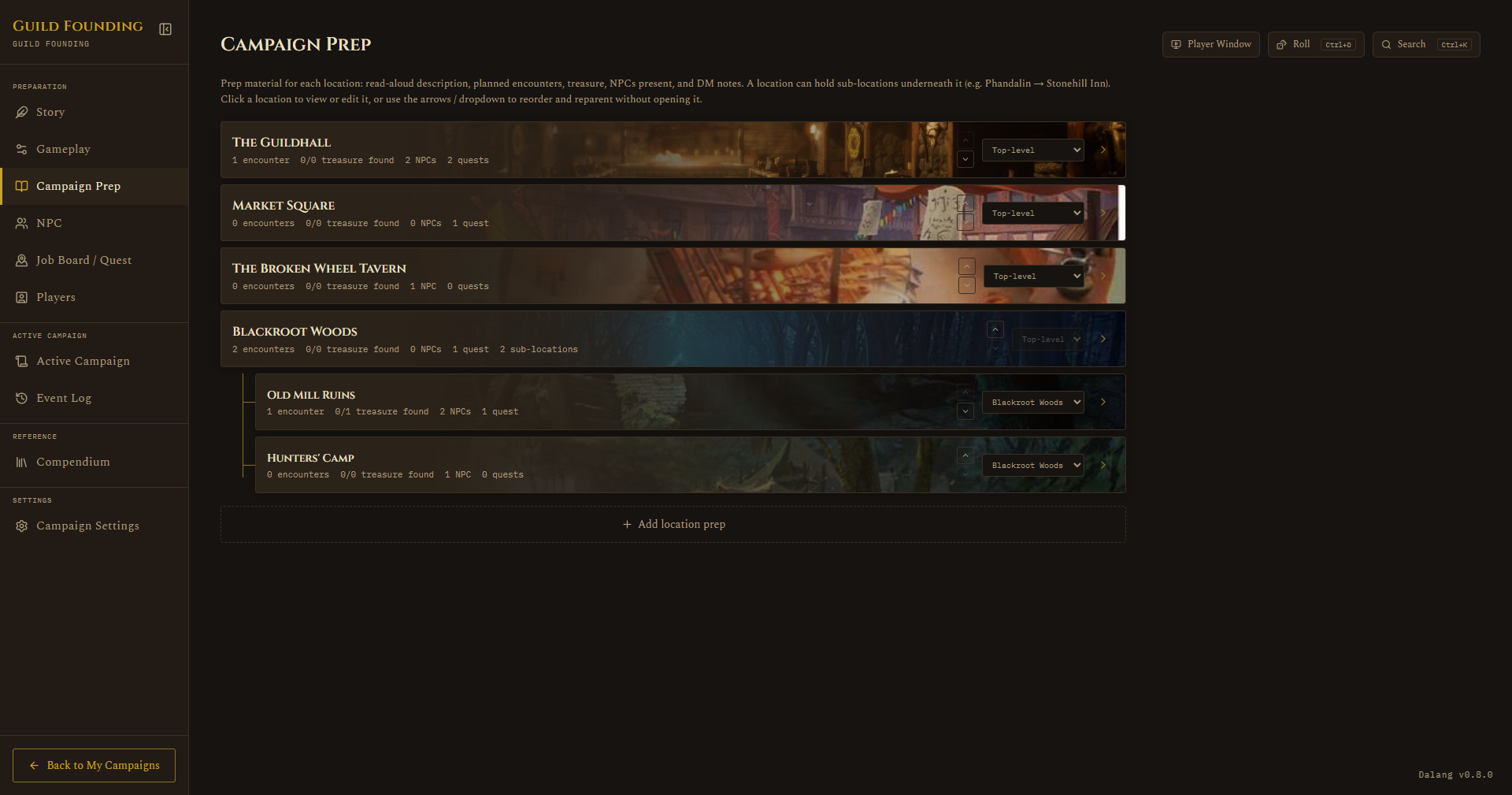
Click + Add location prep to create one. Click into a location to get its full detail view:
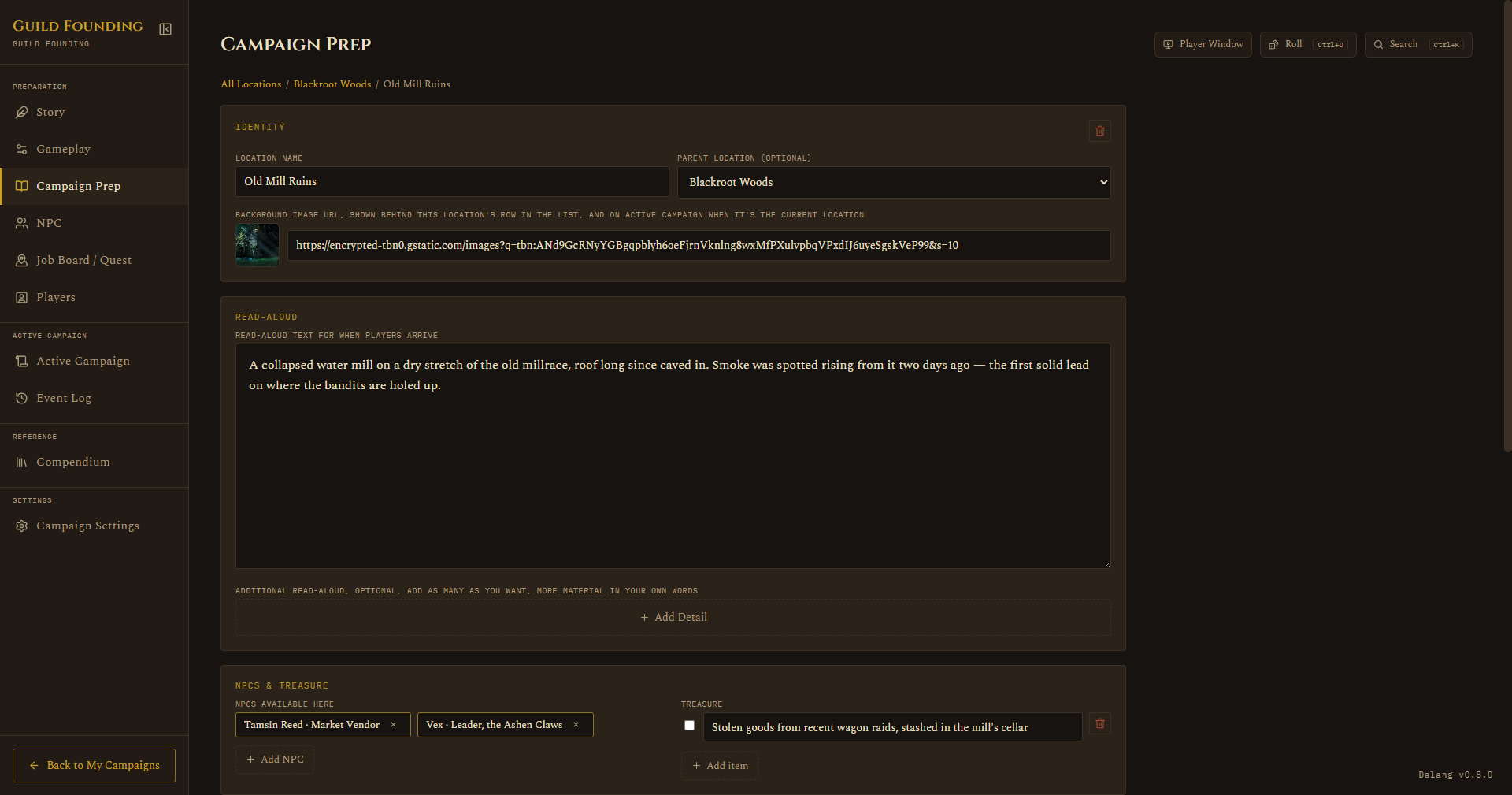
- Description: read-aloud text, plus a background image URL. That image shows up in three places: behind the location row, on the Active Campaign tab when it's your current location, and as the idle screen on the Player Window when nothing's running.
- Maps: add and open maps here, this is where you calibrate a map's grid before it can be used in a session, see Setting Up a Map.
- Music Links
- NPCs available here: tag NPCs to this location with a search box.
- Planned Encounters: pre-build fights or scenes ahead of time, including where tokens should start.
- Treasure: a checklist you tick off as items get found.
- DM Notes
- Related Quests: a read-only list, populated automatically from tags you set on the Job Board tab.